Uprite Construction puts Claude to work across its office and field teams
Client: Uprite Construction
Partner: Right Click, Inc.
Deployment: June to July 2026, now run as an ongoing managed service
Products: Claude Team, Claude Cowork, Claude for Excel, and Claude Code for selected users
The starting point
Uprite Construction runs large construction projects across several US regions, with staff split between offices and job sites. Leadership wanted people using AI on their actual work: estimates, project documents, email and spreadsheets. They set three conditions. Only approved employees would get access. Claude could only see what each person was already allowed to see. And usage costs had to be watched and reviewed.
Uprite asked Right Click, its managed IT partner, to design the rollout and run it.
How someone gets a seat
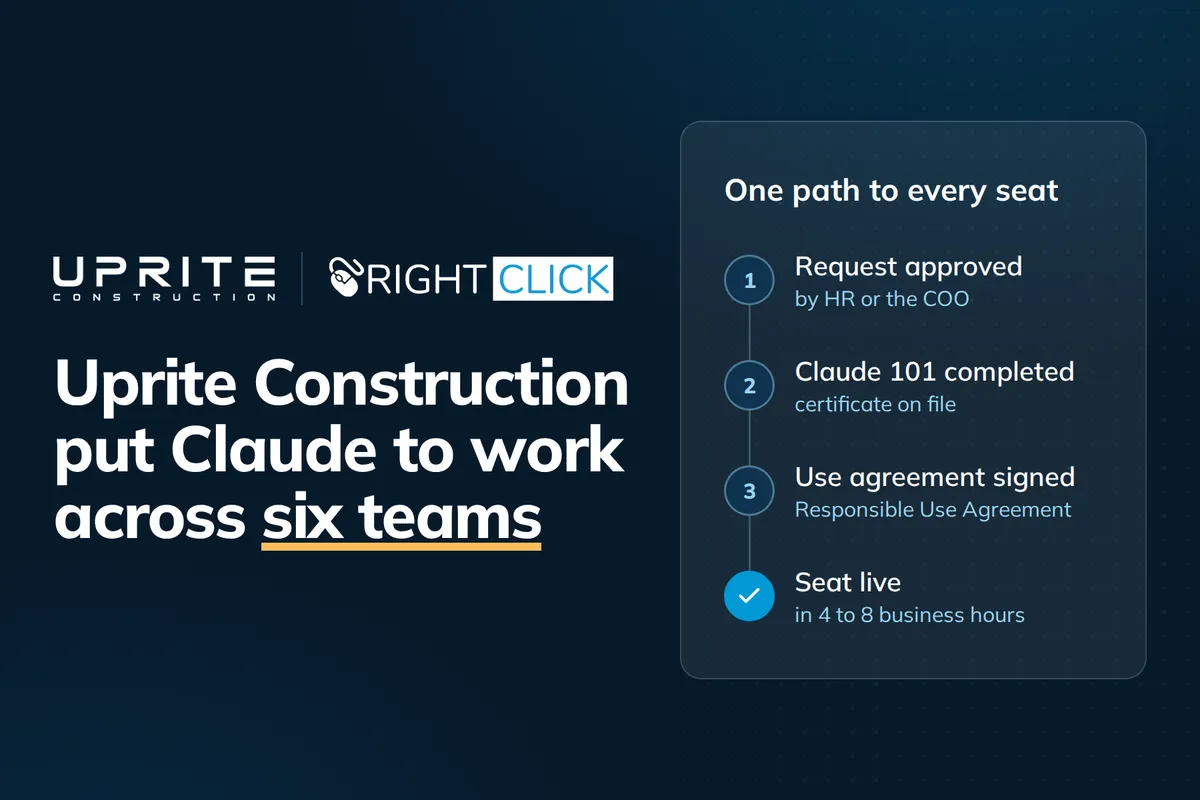
Nobody at Uprite gets Claude by asking IT. An employee emails the HR Manager or COO with their role and a short business reason. If the request is approved, they complete Anthropic's Claude 101 course using their work email. They also sign Uprite's AI Responsible Use Agreement, which covers acceptable use, human review of Claude's output, data handling and how to report problems.
The approver forwards the whole thread, with the certificate and signed agreement attached, to Right Click. Right Click checks both documents, assigns the seat, installs the software and sends login instructions, usually within 4 to 8 business hours of approval. Any request that arrives another way goes back to the approver. Every seat has a record of who asked, who approved it and where the paperwork is kept.
Identity and Data access
Right Click set up Uprite's Claude Team organization, with Uprite holding the primary Owner role. Sign-in runs through Microsoft Entra ID single sign-on. Domain capture means nobody can open a personal Claude account with an Uprite email address. The Team plan doesn't remove seats automatically when someone leaves, so Right Click added Claude seat removal to Uprite's offboarding checklist.
Claude connects to Microsoft 365 (Outlook, OneDrive and Teams) and to Egnyte, where Uprite keeps its project files. Both connectors are read-only. Each person connects with their own account, so Claude reaches only the files and mail that person can already open.
Before anyone was trained, Right Click ran a witnessed test. A low-privilege account tried to open restricted content through Claude and was blocked. A privileged account running the same queries got the expected results.
On the desktop
Right Click pushed the Claude desktop app and Cowork to approved machines through its remote management tools, and rolled out Claude for Excel centrally. Claude Code goes only to people whose role needs it, and the reason is recorded. Users also got written guidance on which tool suits which job.
Managing usage costs
Uprite sets the Claude budget, and each member has a monthly spend limit. Anyone who hits theirs can ask for more, and Jeremy Coriale, COO, approves each increase. Usage credits reload automatically, so work doesn't stop partway through a task. Right Click also gave users plain guidance on when a larger model is worth it and when a lighter one does the same job, and reviews spend with Uprite every month.
Getting people using it
The first group had a kickoff session, recorded for later hires. Right Click published a one-page prompt library built from Uprite's own work and set up shared Projects loaded with the documents each team uses day to day. Open office hours ran for 30 minutes a week through the first four weeks, and adoption is reviewed at 30, 60 and 90 days. Claude access is now part of Uprite's standard new-hire onboarding.
Where Claude is being used
Use started with Uprite's preconstruction and estimating team. It has since spread to project managers and assistant project managers, superintendents in the field, accounting, and sales.
Corporate safety uses it too. Right Click AI developer, Conner Schnicker worked on site with the safety team and used Claude to build a safety observation analytics application that replaced a monthly manual review in Excel.
Watch that project here: https://youtu.be/i52ZzIKpSEk
Results
18 users provisioned between June and September 2026.
Every seat was issued through the approved path, backed by a training certificate and a signed use agreement. There were zero off-process seats and zero use-agreement incidents.
The witnessed permission test passed, and there have been zero permission or data-exposure incidents since go-live.
SSO is enforced, and domain capture means no personal Claude accounts exist on Uprite addresses.
New seats are provisioned in 4 to 8 business hours on average from an approved request.
Members regularly use more than the plan's included allowance. Uprite sets the budget, and anyone who hits their monthly cap can ask for more, with each increase approved by Jeremy Coriale, COO. Right Click reviews spend with Uprite every month.
Claude use has spread from preconstruction and estimating to Project Team (Project Managers, Assistant Project Managers), Accounting, Estimating, Superintendents, Sales/Preconstruction.
Jeremy developed an application to run their projects using Claude code with Fable 5 as the model. It is saving his project team & him 5-10 hours/week
Customer Quote
"Right Click gave us a way to put Claude in front of our teams without giving up control. Access is approved one person at a time, everyone completes training and signs our Responsible Use Agreement first, and Claude only ever sees what that employee could already open. They proved that with a witnessed permission test before anyone was trained. Since go-live we've had zero off-process seats and zero data-exposure incidents, and Claude is now doing real work across estimating, project management, the field, accounting and safety. One application I built with Claude Code is saving my project team five to ten hours a week."
- Jeremy Coriale, Chief Operating Officer, Uprite Construction
What's next
Right Click runs Uprite's Claude environment month to month. That covers adding new users, supporting people across Claude, Cowork and Claude Code, reviewing spend and limits, and using the adoption reviews to decide which teams and workflows come next.
Planning a Claude rollout for your firm? Talk to Right Click, Schedule a Call and let us help you build a practical plan that improves your business' productivity and keeps your projects moving.